Invoice your clients.
Keep your own data.
A pay-once desktop app for Windows, macOS and Linux. Send invoices, schedule recurring billing, generate customer statements. Your data stays on your machine.
Or download the 14-day trial, full functionality, no card required.
No Microsoft Store on your PC? Download the Windows installer.
Pay once
$79 USD, one payment. No monthly fees, no subscription, no seat limits.
Windows, macOS & Linux
Native binary for each platform, and one purchase covers all three.
Your data, your machine
The database lives on your computer. Nothing is sent to Paidlio servers.
Works offline
Full functionality without an internet connection. No account required.
Everything one person needs to bill
Invoicing, recurring billing, statements and backups, the full workflow when you're the one sending the invoices.
Customer records
Create a customer once (contact details, billing address, currency, and payment terms) and everything follows them to every invoice. Search, edit, and archive from one screen.
Custom invoice PDFs
Add line items, discounts, and tax rates. Upload your logo, choose your colours, set your footer text. PDFs are generated locally so they look identical on every machine and print correctly.
Recurring invoices
Set a template (weekly, monthly, quarterly, or yearly) and Paidlio generates the invoice automatically. Miss a day? It catches up the next time the app opens.
Payment recording
Record full and partial payments against any invoice, with date, method, reference, and notes. Outstanding balances update immediately and feed through to customer statements.
Customer statements
Generate a per-customer PDF covering any date range: opening balance, every invoice, every payment, and closing balance. Ready to email or save to their folder.
Local scheduled backups
Schedule automatic backups to any folder on your machine. Point that folder at OneDrive, iCloud, Dropbox, or Google Drive and your existing cloud sync handles the offsite copy.
What the app looks like
The screens you'll spend most of your time in.
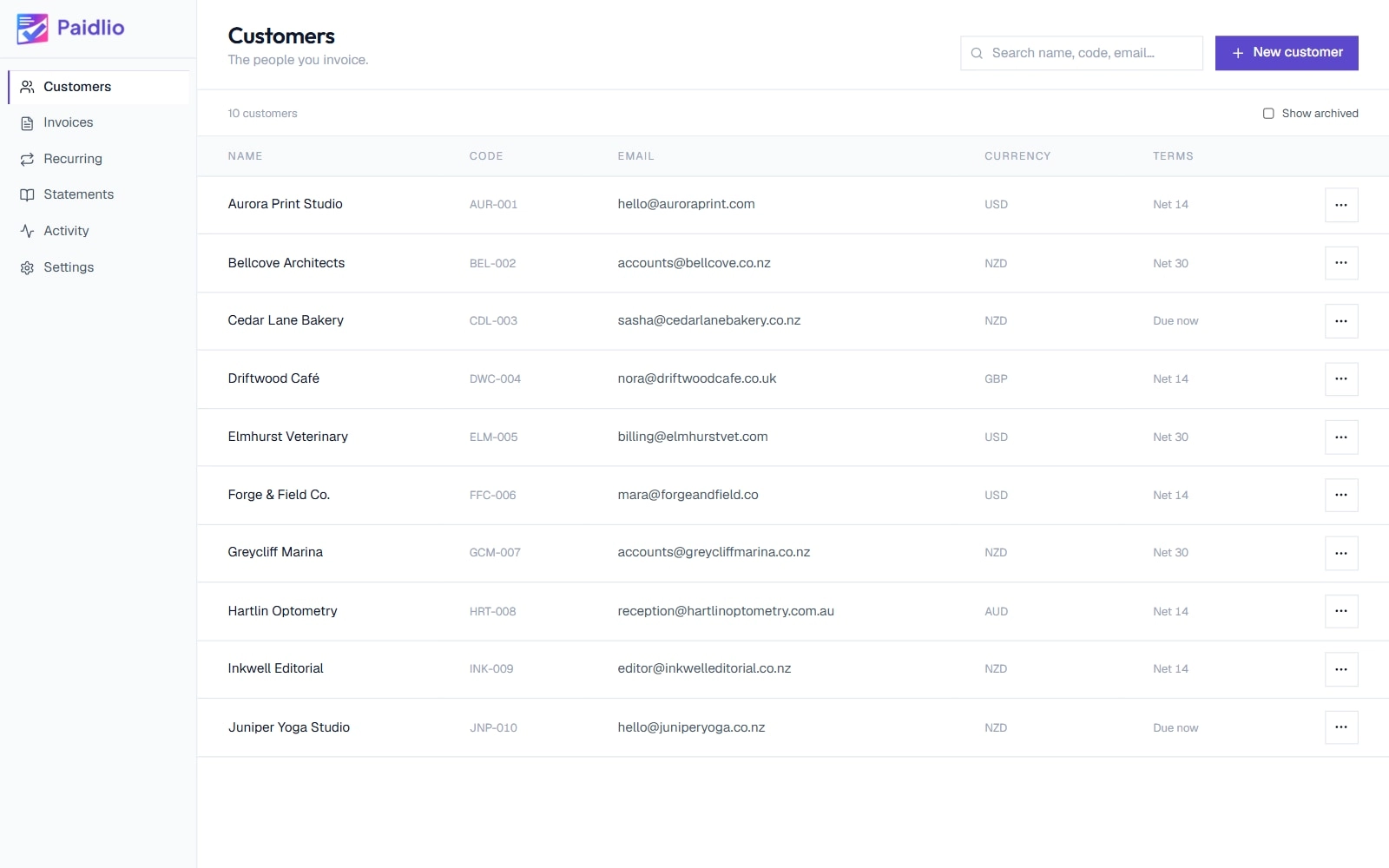
Customer list
Search, filter, and archive your clients from a single screen. Customer details follow automatically to every invoice you create.
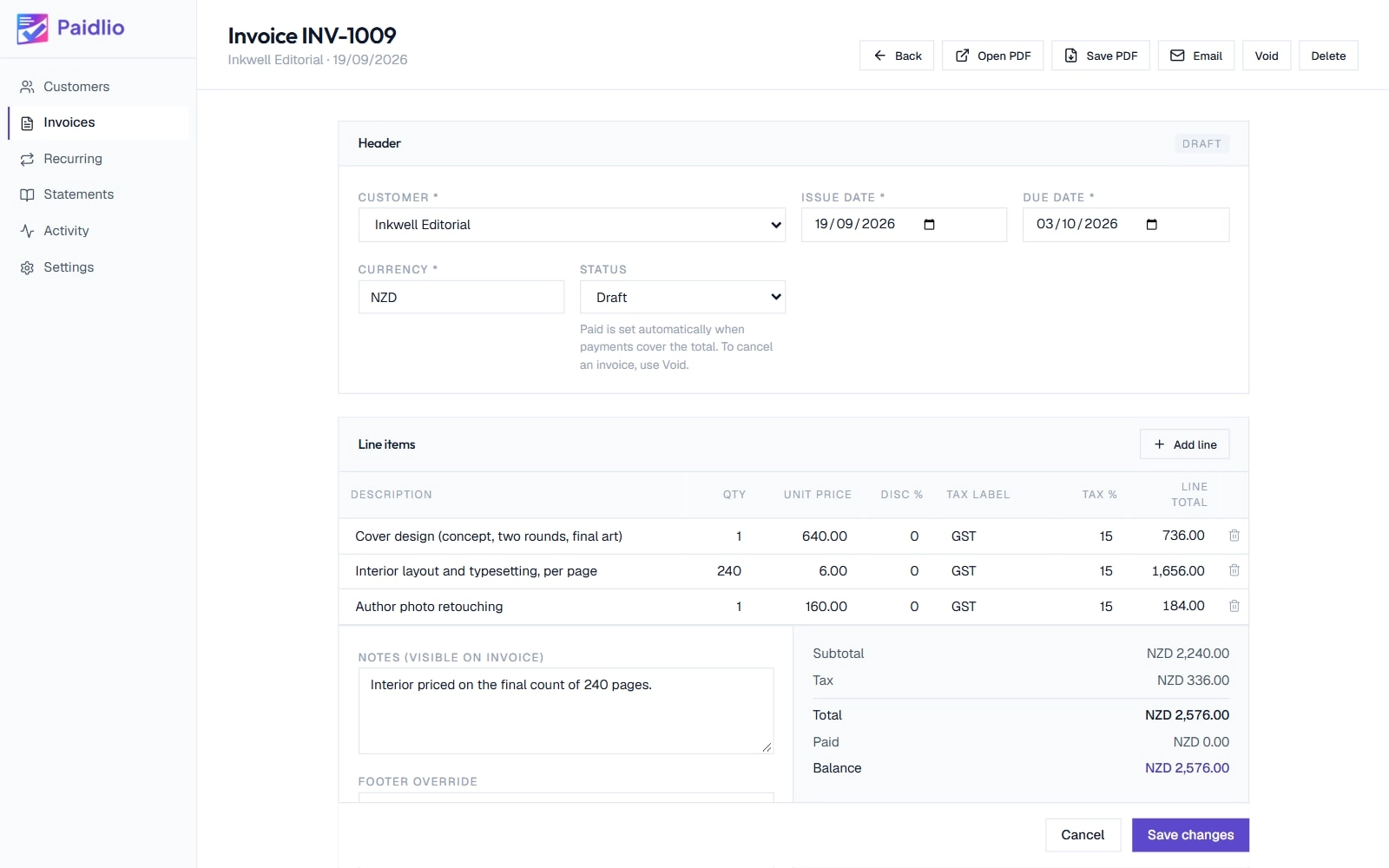
Invoice editor
Add line items, set tax rates, apply discounts. Totals update as you type and the PDF is generated locally, identical on every machine.
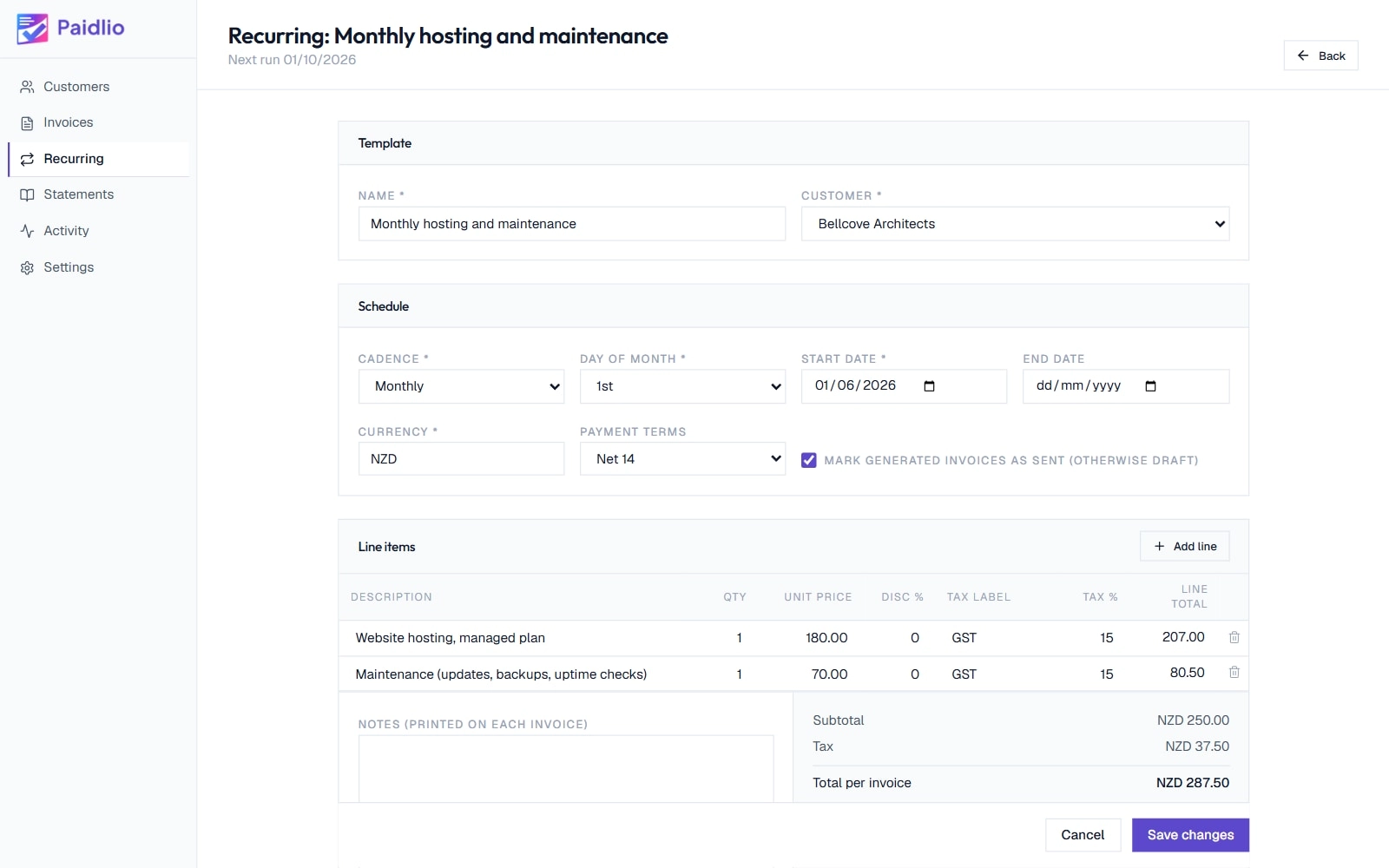
Recurring templates
Schedule a template once (weekly, monthly, quarterly or yearly). Paidlio generates the invoice automatically, even if it missed a day.
Pay once. Then it's yours.
One price, one time. Pay $79 and own the software.
Paidlio
Single-user desktop licence for Windows, macOS and Linux
Everything included
- Unlimited customers, invoices, and payment records
- Recurring invoice templates with automated generation
- Per-customer statements as PDF
- Custom invoice and statement design (logo, colours, footer)
- Activity log of every change
- Scheduled local backups with one-click restore
- Send invoices and statements via your own SMTP
- Native binary for Windows, macOS and Linux, one licence covers all three
- Background process for scheduled invoice generation
- One-time licence activation, then offline forever
- CSV exports of every record
14-day refund if it's not right for you.
Buy Paidlio for $79Secure hosted checkout
Common questions
Can't find what you're looking for? Use the contact form below.
Only at three specific moments, none of which involve your business data. Once when you first activate your licence key. Once if you ever release a machine to move your install elsewhere. And a small check on launch for new versions of the app, which you can switch off. Everything else (customers, invoices, payments, statements, PDFs) works fully offline. There is no Paidlio account.
Per line item, you set the rate and the label as two separate fields, such as 15 and 'GST', or 20 and 'VAT'. Both print together on the invoice alongside the amount, so your customer sees exactly what the charge is. Paidlio doesn't file your tax return or generate tax submissions. That side stays with you and your accountant.
Yes. Each customer has a default currency on their record, and every new invoice for them starts in it, so a client in the US gets billed in USD while one in the UK gets GBP. You can also set the currency on any single invoice. A customer statement is in their default currency, and if they have invoices in another currency for the same period, the statement tells you how many were left out.
Yes. Paste your own payment link (from Stripe, PayPal, or your bank) into Settings → Company → Payment details, and Paidlio adds a Pay Now button to every invoice PDF and email. To create one: in Stripe make a Payment Link, with PayPal use your PayPal.me address, or use your bank's hosted payment page. The money goes straight to you, and Paidlio never processes the payment or takes a cut. When it lands, open the invoice and click Record Payment to mark it paid.
Not yet. Today you record each payment yourself, which keeps Paidlio fully offline and free of any payment-processor lock-in. Automatically detecting when a Stripe or PayPal payment lands and flipping the invoice to Paid is something we'll build if enough people want it. If that's you, say so through the contact form below and it helps us prioritise.
Yes. Your licence covers the computers you work on yourself, a desktop and a laptop for instance. When you set up Paidlio for the first time on a new computer you paste in your licence key and the app activates that machine. If you retire a machine, because you're replacing it or selling the old laptop, open Settings → App → Licence and click Release this machine to free it up, then activate on the new one. There is a ceiling on activations, set high enough that personal use never reaches it, and releasing a machine you no longer use frees one up.
Windows: get it from the Microsoft Store, which installs it and keeps it updated for you. If your PC has no Store, the installer on the homepage does the same job: it adds a Start Menu shortcut and an Add/Remove Programs entry, and installs per-user so it needs no admin rights. macOS: open the .dmg and drag Paidlio to your Applications folder. Linux: download the AppImage, make it executable (chmod +x), and double-click. Most distributions include the FUSE library AppImage needs, and if yours doesn't, install libfuse2 from your package manager.
It depends where you got it. Installed from the Microsoft Store, Windows updates Paidlio in the background and there is nothing for you to do. Downloaded from this site, on Windows, macOS or Linux, Paidlio checks on launch whether a newer version exists and shows a small banner when one does, and you install the new version over the old one. Your customers, invoices and settings stay where they are either way. The launch check sends no usage data and can be switched off under Settings → App. Updates are included with your licence, whichever route you use.
Yes. It runs on both Apple Silicon and Intel Macs. Get it from the homepage, open the .dmg, and drag Paidlio to your Applications folder. Your licence key activates it the same way it does on Windows and Linux.
Paidlio exports CSV files for invoices, payments, and customers, covering any date range. Your accountant can drop those into their working papers, Xero, QuickBooks, or a spreadsheet. The activity log gives a full record of what changed and when.
No. Paidlio does one job, which is getting your invoices out and getting you paid. If you've bought materials or paid for travel on a client's behalf, add it as a line on their invoice and it's billed like any other charge.
In a local database in your operating system's standard application-data folder. You can also point Paidlio at any folder you choose for portable use. Paidlio can run scheduled backups to any folder. Point that folder at OneDrive, iCloud, Dropbox, or Google Drive and offsite backup is handled by your existing cloud sync.
It runs in the background, so closing the window keeps it alive. You can set it to start when you log in. If for some reason it wasn't running on the day a recurring invoice was due, Paidlio generates it the next time you open the app.
Nothing is locked and nothing is deleted. The app keeps running, your database stays on your machine, and you can export everything at any time. Two things change: recurring invoices stop generating on their own, and invoice and statement PDFs you produce from then on carry a small line in the footer noting they were made with an unlicensed copy. Both stop the moment you enter your licence key in Settings → App. The trial is deliberately full-featured for the 14 days so you can put real work through it before you decide.
No. $79 once, and the app is yours. No monthly fee, no annual renewal, and no account to keep alive. Updates we release are yours at no extra cost. Your licence is verified on your own machine, so nothing expires and nothing has to check in for Paidlio to keep running.
Anyone who bills on their own and wants invoicing to be a short job on a Friday rather than a system to learn. Consultants, contractors, trades, designers and small practices all need the same three things: a customer list, invoices that go out on time, and a statement when someone asks what they owe. Paidlio is single-user by design: one person, one database, on your own machine.
Free tools usually mean either a cloud SaaS that monetises your data, a free tier capped at a few invoices a month, or open-source software you're expected to host and maintain yourself. $79 buys software that's actively maintained, with email support included. After four months you've paid less than any subscription invoicing service would have charged, and the app is yours.
Lemon Squeezy is our merchant of record. They run the checkout, take your payment, and email you the receipt and your licence key. Your download link lives on paidlio.com. The receipt arrives from Lemon Squeezy rather than from us, so that's the name to look for in your inbox.
14 days, no questions asked. Email us via the contact form below and we'll process the refund.
Paidlio is a desktop app for Windows, macOS and Linux, and there's no mobile version. Invoice PDFs are saved to a folder on your machine, so if you point that folder at OneDrive, iCloud, Dropbox, or Google Drive, you can pull up any invoice from your phone when you need it.
Contact
Question about Paidlio, or want to check whether it fits your workflow before buying? Send a note.